Software Subscriptions
Microsoft Office 365: Boost Productivity with 100GB Cloud Storage
Discover why Microsoft Office 365 with 100GB storage is the ultimate productivity upgrade for students, freelancers, and businesses. Get your subscription at bigfile.store today.
Oct 12, 2026 · 4 min read
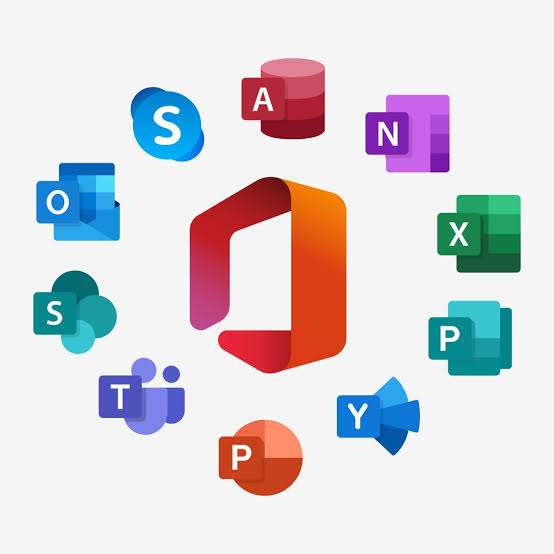
Unlock Your Potential with Microsoft Office 365
In today's fast-paced digital environment, having the right tools isn't just an advantage—it is a necessity. Whether you are a student drafting a thesis, a freelancer managing client documents, or a small business owner coordinating remote teams, the suite of applications provided by Microsoft Office 365 remains the gold standard. When you pair these powerful desktop apps with the convenience of cloud-based storage, you create a seamless workflow that keeps you productive anywhere, anytime.
If you are ready to elevate your digital workspace, you can secure your access to Microsoft Office 365 with 100GB Storage 1 Year and experience the difference that professional-grade software makes for your daily output.
Why Office 365 Remains Essential in 2024
The modern workplace has moved beyond the office walls. Microsoft Office 365 allows you to stay connected to your data and your collaborators. By choosing a subscription that includes 100GB of storage, you are not just getting software; you are getting a dedicated vault for your most important files, photos, and projects.
By choosing the Microsoft Office 365 with 100GB Storage 1 Year plan, you ensure that your files are automatically backed up to the cloud. No more worrying about hardware failure or misplaced USB drives. Everything you work on in Word, Excel, or PowerPoint is synced across your devices, providing true mobility.
Key Features and Benefits
The beauty of this subscription lies in the balance between power and accessibility. Users gain access to the classic applications that have defined office productivity for decades, along with modern cloud features that make collaboration easier than ever.
- Professional Apps: Word, Excel, PowerPoint, and Outlook are the backbone of global business.
- 100GB Cloud Storage: Ample space to store high-resolution documents, presentation media, and project backups.
- Cross-Platform Compatibility: Work on your PC, Mac, tablet, or smartphone.
- Real-Time Collaboration: Share documents and co-author files in real-time with colleagues or classmates.
- Security: Benefit from enterprise-grade security features that keep your data private and protected against threats.
Feature Comparison Table
| Feature | Office 365 Standard | Basic Office Apps |
|---|---|---|
| Word, Excel, PowerPoint | Yes | Yes |
| 100GB Cloud Storage | Included | No |
| Cloud Synchronization | Seamless | Limited |
| Priority Updates | Yes | No |
| Technical Support | Included | Limited |
Who Should Buy This Subscription?
Not every user needs an enterprise-level, multi-user license. This specific package is tailored for individuals who need efficiency without the bloat of unnecessary administrative features.
- Students: Keep all your research papers and study materials in one secure, accessible place.
- Freelancers: Manage client deliverables and professional portfolios with reliable cloud storage.
- Remote Workers: Ensure that your local documents are mirrored in the cloud so you can switch between a home desktop and a laptop effortlessly.
- Small Business Owners: Maintain a professional image with industry-standard formatting and reliable file management.
If you fit any of these profiles, do not wait for your trial versions to expire. Visit bigfile.store to purchase your Microsoft Office 365 with 100GB Storage 1 Year license today.
Tips for Maximizing Your Office 365 Storage
With 100GB at your disposal, it is easy to become disorganized if you don't have a strategy. Follow these best practices to get the most out of your cloud space:
- Use Folders Strategically: Categorize your projects by year or client to prevent file clutter.
- Leverage Auto-Save: Ensure your app settings are configured to save directly to the cloud.
- Version History: Take advantage of the version history feature in Microsoft 365, which allows you to revert to previous drafts if a file becomes corrupted or you make a mistake.
- Clean Up Regularly: Once a quarter, review your folders and remove temporary or redundant files to keep your storage usage optimized.
FAQ
Is this a one-time purchase or a subscription?
This is a 1-year subscription, which ensures you receive the latest updates, security patches, and cloud service features throughout the entire duration of your term.
Can I use this on more than one device?
Yes, Office 365 is designed for the multi-device user. You can typically sign in on multiple devices, allowing you to access your apps and files seamlessly whether you are at your desk or on the go.
Is my data secure in the cloud?
Microsoft employs industry-leading encryption and security protocols to protect your files. Your data is kept private, and you retain full control over sharing permissions.
What happens if I run out of space?
100GB is significant for document-heavy workflows. However, should you eventually need more, Microsoft 365 offers scalable solutions. For most students and individual professionals, this tier is the perfect balance of cost and capacity.
Conclusion
Choosing the right productivity software is a critical investment in your future. By choosing Microsoft Office 365, you are choosing a proven ecosystem that has helped millions succeed. With the added security of 100GB of cloud storage, you can work with confidence, knowing your files are safe, synced, and ready when you are. Take the next step in your productivity journey by visiting bigfile.store and picking up your subscription today.